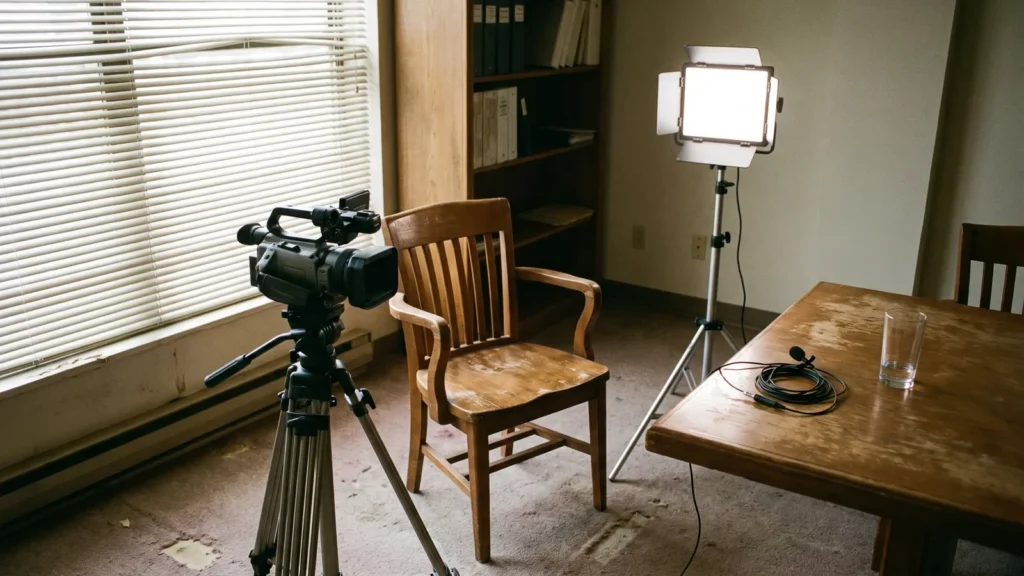
Plan every Facebook video around one named customer problem and one visible promise, then open on a result, face, or mid-action shot in the center of the frame — captioned, filmable, and understandable with the sound off.

Why the first three seconds decide how far your Facebook video travels
Your video is not competing with other videos. It competes with a thumb already in motion and a viewer who has committed to nothing. The first frame buys a pause, and the next two seconds have to prove the pause was worth it.
The hook also sits inside a wider Facebook workflow. Most teams run three lanes at once: organic feed posts that carry announcements and proof, Reels for reach, and paid placements that put the best-performing organic cut behind a budget. A sustainable cadence is to shoot once, cut a vertical Reel and a shorter feed version from the same footage, and repurpose the strongest opening into an ad — which makes the first three seconds the shared bottleneck across every lane, and the thing worth planning first.
Meta counts a three-second video view when the video plays for 3 seconds, or for 97% of its total length if the video is shorter than 3 seconds, according to the Meta Business Help Centre. That definition is the unit most of your reporting rests on. Everything before second three is the part of the viewing experience you fully control.
Replays do not count toward Meta’s three-second video view metric, so a viewer who watches 2 seconds of a 3-second video and rewinds is not counted, per the Meta Business Help Centre. One pass, one chance, no second swing.
Treat the hook as a production element with its own budget of time and attention. Write it first, shoot it first, and shoot alternatives. A clip with a brilliant middle and a vague opening gets judged on the opening, every time.
Step 1 — Choose one audience problem and one promise per video
Time: 20–30 minutes per video. You need: your last ten customer questions, a sales call note, and one line describing what you sell.
A video that addresses three problems opens with none of them. Pick one problem your customer can say in their own words, then one promise you can show on camera. Write both as a single sentence before you pick up a phone.
Pair them like this:
- Problem: "My electric bill jumped in July." Promise: "Here’s the filter swap that cut mine."
- Problem: "My sourdough comes out flat." Promise: "Two folds fix it."
- Problem: "Payroll eats my whole Friday." Promise: "Here’s the twelve-minute version."
Say the pair out loud. If you need a clause of setup before the promise lands, the promise is too abstract, so push it toward something visible. "Save time on bookkeeping" cannot be filmed; "this drawer of receipts becomes one spreadsheet" can.
Specificity also protects your read on performance. One named problem per video gives you a clean diagnosis later: either the problem was wrong for that audience, or the hook was wrong for that problem. Blended videos leave you guessing at both.
Step 2 — Write and storyboard a three-second hook you can actually film
Time: about 30 minutes for three variants. You need: a notes app, a stopwatch, and your phone to read each line back aloud.
As a working estimate from our editorial practice — not a platform specification — three seconds is roughly eight to twelve spoken words. Write to that length, then storyboard what the viewer sees while you say it, because the visual carries more weight than the line.
Four hook patterns that survive a real shoot:
- Result first — frame one is the finished thing. The clean garage, not you walking toward the garage.
- Named problem — say the problem in the customer’s exact words while it is visibly happening.
- Contrast cut — two shots, roughly half a second each, before and after.
- Interrupted motion — start mid-action: pouring, unscrewing, slicing, lifting.
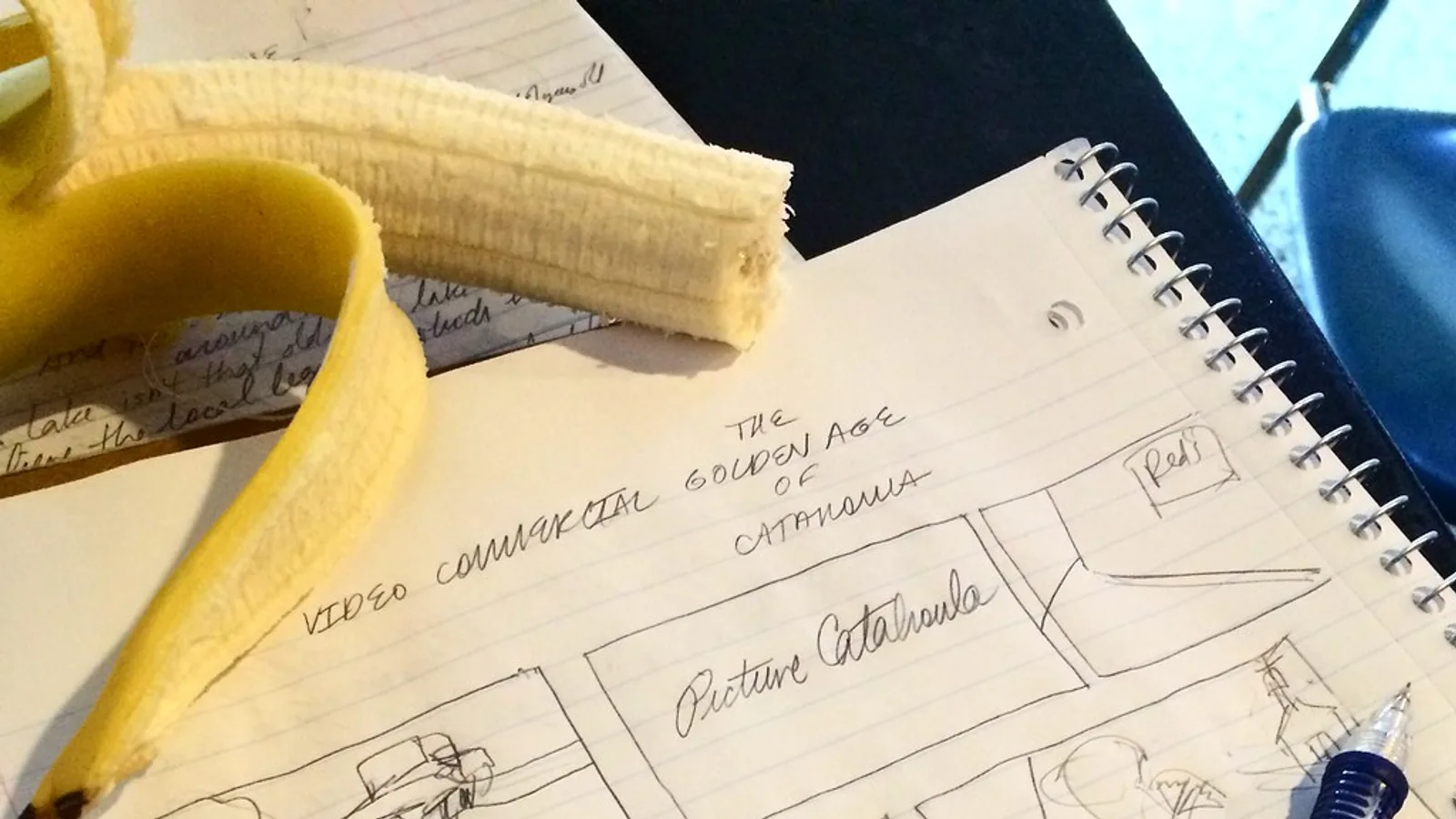
Storyboard means three cells on paper: frame at 0.0s, frame at 1.5s, frame at 3.0s. Draw them badly. If all three cells look identical, you have a talking head and no visual hook.
Draft more variants than you plan to shoot, then kill the weak ones before the shoot day. If you want to hear scripts read back before booking anyone, avatar tools can stand in for a rough pass — AI Studios has a Free plan at $0 that allows up to 3 AI videos of up to 1 minute each, exported in 720p with 16 one-time generative credits, which covers three hook reads comfortably.
Step 3 — Shoot vertical for sound-off viewing inside the safe zones
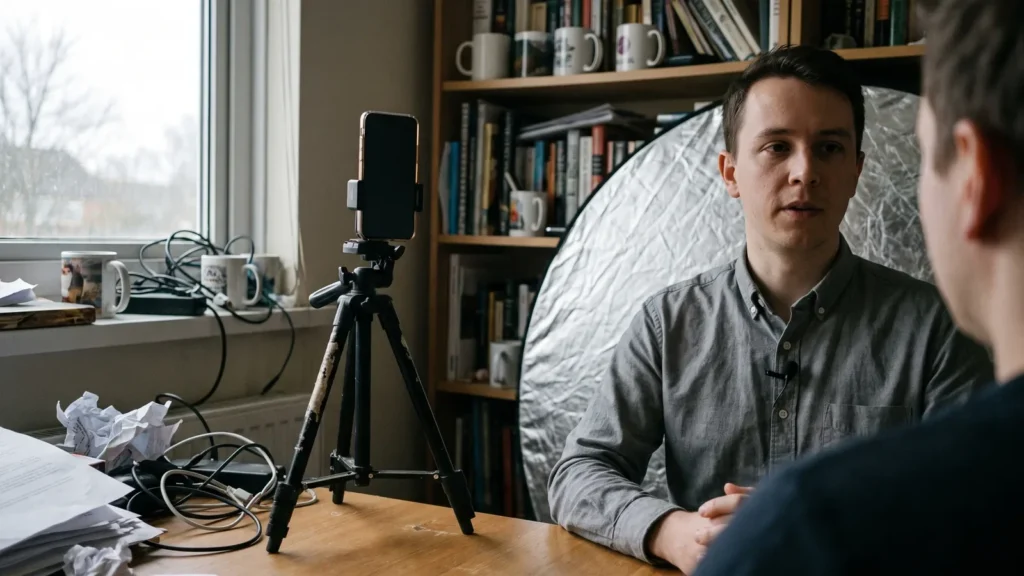
Time: 45–90 minutes including setup. You need: a phone on a tripod at chest height, window light or one key light, a clip-on mic, and a second pair of eyes on the frame.
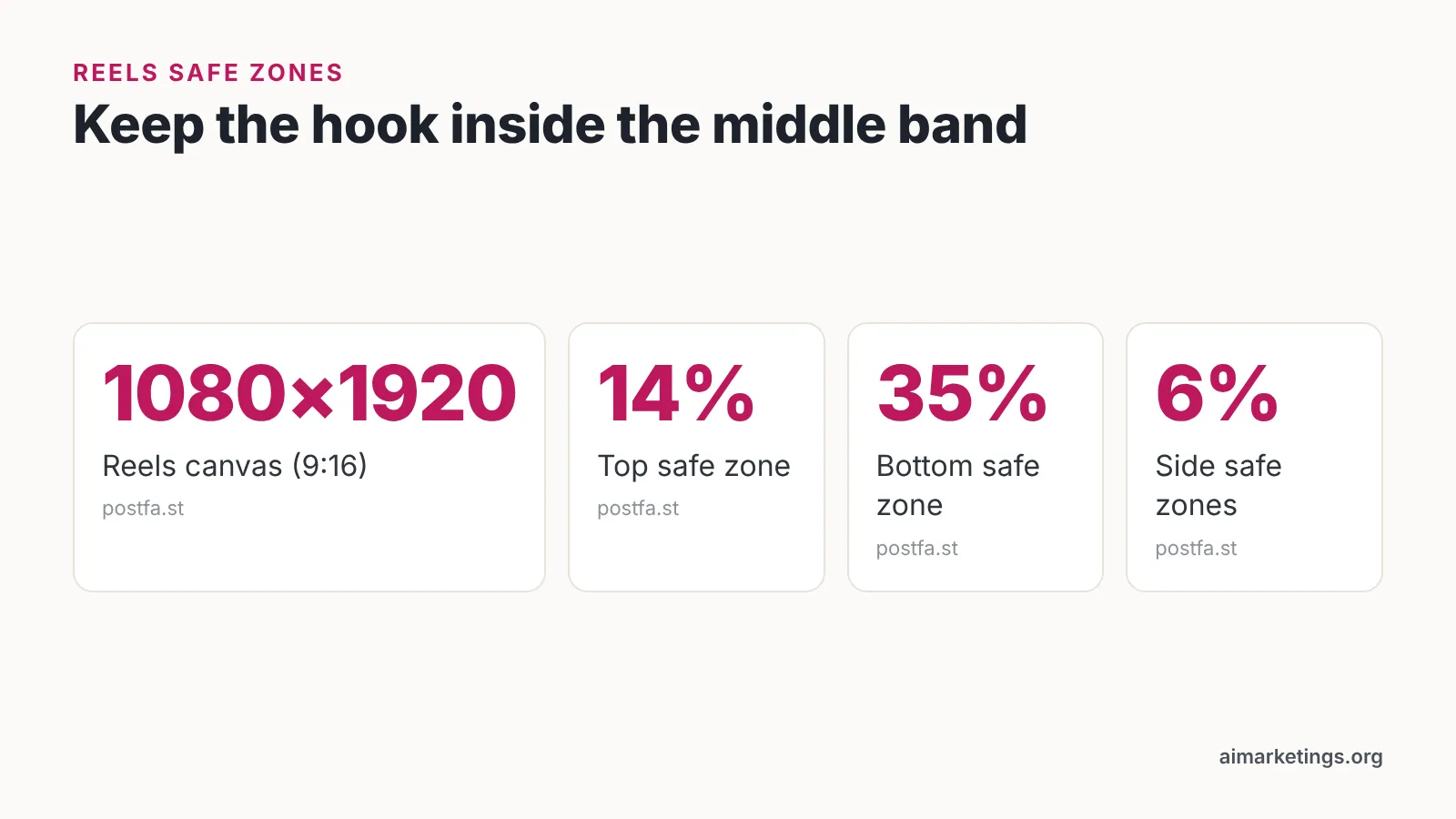
Facebook Reels creative is built at 1080×1920 pixels (9:16), with safe zones of 14% at the top, 35% at the bottom and 6% on the sides, so hooks and text must sit in the middle of the frame, according to postfa.st. Compose with that middle band as your real canvas. Anything important near the bottom third will sit behind the caption, profile name, and action buttons.
Shoot as though the audio will never play. Many viewers scroll muted, and a hook that only works when you hear it will fail silently.
Practical rules for the shoot:
- Put motion in frame one — a hand entering, an object dropping, a head turn.
- Expose for the face, not the window behind it.
- Record the payoff shot separately as a clean five-second plate; you will want it for the opening.
- Capture three takes of the hook with different energy levels, then pick in the edit.
Step 4 — Export to Facebook’s specs and add captions before you publish
Time: 20 minutes. You need: your editor, a caption file or burned-in captions, and headphones to check the mix.
Facebook feed video accepts MP4 or MOV files in H.264 up to a 4 GB file size and up to 241 minutes of running time, according to Superscale’s Meta ad spec sheet. Short social cuts sit nowhere near those ceilings, so the limits only bite when you upload a full webinar recording or a long product demo.
Captions are part of the hook, not an accessibility afterthought. Burn in or time the first caption so the opening words appear with frame one, inside the middle safe band rather than along the bottom edge.
Before export, run this pass:
- Trim any black frames or logo stings at the head of the file.
- Confirm the first spoken word lands within the first half second.
- Check captions against the audio for product names and numbers.
- Watch the first three seconds muted, at arm’s length, on a phone.
Upload the highest quality file the platform will take. Compression happens on their side, and a soft source gets softer.
Step 5 — Measure the hook with 3-second views, sound-on views and 10-second retention
Time: 15 minutes a week. You need: post-level insights for every video published in the last 30 days.
Sound-on video views are defined as plays with the sound on lasting at least 3 seconds, which lets you check how many people actually heard your hook, per Zoho Social’s Facebook analytics documentation. Compare that number against total three-second views to see how much of your message is landing by audio alone.
Each impression of a Facebook video is counted separately for video views, and time spent replaying the video is excluded, according to the Meta Business Help Centre. Read that precisely: what is excluded is replay time within a single impression, not repeat viewing in general. If the same person is served your video on two separate occasions and watches three seconds each time, each impression is counted on its own — so one repeat viewer can generate more than one three-second view. Treat the number as impressions that cleared the hook, not as a count of unique people.
Drop-off before the ten-second mark is craft guidance rather than a Meta-defined metric, but it is the fastest read on whether your hook told the truth. Scrub the retention curve and find where it bends: a fall inside the first few seconds usually means frame one did not match the promise, while a slide just before ten seconds usually means the payoff arrived too late. Compare the shape across three posts before you rewrite the concept.
Read the pattern, not the single post:
| Signal | Likely cause | Next test |
|---|---|---|
| Low 3-second views, normal reach | Frame one is static or confusing | Reshoot the opening shot with motion |
| Strong 3-second views, drop before 10 seconds | Hook over-promised | Pay off the promise faster |
| Low sound-on views | Audio-dependent hook | Add on-screen text in the safe zone |
| Good retention, no clicks | Weak call to action | Move the ask earlier |
Your pre-publish Facebook video checklist
Run this before every upload. It takes about five minutes once you have done it twice, and it catches the errors that cost you the first three seconds.
- ☐ One problem and one promise, written as a single sentence
- ☐ Hook is around eight to twelve spoken words (our editorial working estimate, not a platform spec)
- ☐ Frame one contains motion, a face, or the finished result
- ☐ Vertical 1080×1920 source file
- ☐ Face and hook text inside the middle band, clear of the 14% top, 35% bottom and 6% side safe zones reported by postfa.st
- ☐ Captions start on frame one
- ☐ No logo sting, no black frames, no "hey everyone" preamble
- ☐ Watched muted on a phone at arm’s length
- ☐ MP4 or MOV in H.264
- ☐ Payoff visible before the ten-second mark
- ☐ Call to action placed before the final two seconds
Keep the checklist beside your edit timeline rather than in a separate folder. The items that get skipped are always the ones that require opening another window.
Common mistakes that kill attention in the first three seconds
The single most expensive mistake is the warm-up open: an animated logo, a slow pan, or "hi everyone, welcome back to the channel." Three seconds burn before the viewer learns anything. Avoid it by editing the first frame last — cut the opening until the video starts on the most interesting moment you filmed, then check that the clip still makes sense.
Other patterns worth watching:
- Horizontal footage cropped later. A 16:9 shot squeezed into 9:16 pushes faces into the bottom safe zone, where the caption sits.
- Text in the bottom third. It gets covered by the interface, every time.
- A hook that only works with audio. Muted scrollers see a person talking at nothing.
- Three promises in one video. Viewers cannot hold three, and you cannot diagnose which failed.
- Judging a hook on one post. Publish three variants of the same promise before you decide the hook is weak.
Fix the opening before you touch anything else. Lighting, color, and music all help a video that has already earned three seconds.
Frequently asked questions
What exactly counts as a 3-second video view on Facebook?
Meta counts a three-second video view when the video plays for 3 seconds, or for 97% of its total length if the video is shorter than 3 seconds, according to the Meta Business Help Centre. Replay time within a single impression is excluded, so rewinding inside one play does not add a second view — but each separate impression is counted on its own.
Do my Facebook marketing videos have to be vertical?
Vertical is the safer default for feed and Reels placement. Facebook Reels creative is built at 1080×1920 pixels (9:16), with safe zones of 14% at the top, 35% at the bottom and 6% on the sides, so hooks and text must sit in the middle of the frame, according to postfa.st. Horizontal footage cropped afterward usually pushes faces into covered areas.
What file format and size does Facebook feed video accept?
Facebook feed video accepts MP4 or MOV files in H.264 up to a 4 GB file size and up to 241 minutes of running time, according to Superscale’s Meta ad spec sheet. Short marketing cuts never approach those limits, so export at the highest quality your editor allows and let the platform handle compression.
How do I tell whether people actually heard my hook?
Compare total three-second views against sound-on views. Sound-on video views are defined as plays with the sound on lasting at least 3 seconds, which lets you check how many people actually heard your hook, per Zoho Social’s Facebook analytics documentation. A wide gap means your opening needs on-screen text.
How many hook variants should I test before changing the concept?
Shoot and publish at least three openings for the same problem-and-promise pair before concluding the concept is wrong. Vary one element each time — opening shot, first spoken words, or pacing — so you can tell which change moved three-second views rather than guessing across several differences at once.
Sources
Written with AI assistance and fact-checked against the sources cited above before the AI Marketings Editorial Team published it.