Video email marketing works best when you host the clip externally, place a clickable thumbnail or GIF in the email, and personalize the subject line, frame copy and thumbnail with merge tags and segments.

Quick steps
Five actions get a video email out the door. Timings are stated inside each section below, along with what you need on hand.
- Audit your inbox mix. Open your last campaign report, find the email client breakdown, and write down the top five clients on your list.
- Choose one delivery format. Linked thumbnail for most lists, animated GIF when you want motion in the inbox, true embed only for Apple-heavy audiences.
- Record and host the clip. Keep it short, burn in captions, and upload to YouTube or Vimeo before you open the campaign builder.
- Build and personalize. Insert the video block, then add merge tags to the subject line, the headline above the player, and the call to action.
- Seed-test, then send. Preview in Apple Mail, Gmail and Outlook, check dark mode and images-off rendering, then schedule.
Going by the section times below, budget roughly two and a half to five hours end to end for your first one. A repeat run takes about an hour of build time once the clip exists, because the template, the hosting account and the tracking parameters are already in place.
Video email marketing in plain English: what plays in the inbox, what gets stripped
"Video in email" describes four different things, and mixing them up is where campaigns go wrong.
- True embed: an HTML5
<video>tag inside the email body that plays without leaving the inbox. - Animated GIF: a short looping image that moves on open and links out to the full video.
- Linked thumbnail: a still frame with a play button drawn on it, linking to a hosted video page.
- Subject-line signal: the word "video" in the subject or preheader, telling people what’s behind the click.
Litmus estimates that about 50% of the email client market, and 3 of the top 5 clients, support HTML5 and CSS3 techniques such as HTML5 video. Support moved backwards too: Litmus reports that Apple removed HTML5 video support from its email clients, which set back adoption of embedded video in email.
That is why a fallback image matters more than the embed itself. Every true-embed build needs a poster frame that still looks like a video when the player never loads. If you are still deciding what kind of clip belongs in an email versus a landing page, settle that question before you write a script — the format decision shapes the length, the hook and the call to action.
Step 1 — Choose your delivery format: true embed, animated GIF, or linked thumbnail
Time: 10–15 minutes. You need: the email client breakdown from your last two campaigns.
Litmus says native video in email has its best support in Apple Mail and Thunderbird, which is why it advises using animated GIFs instead. Read that scope carefully — it is a recommendation about where embeds work, not a ban on them.
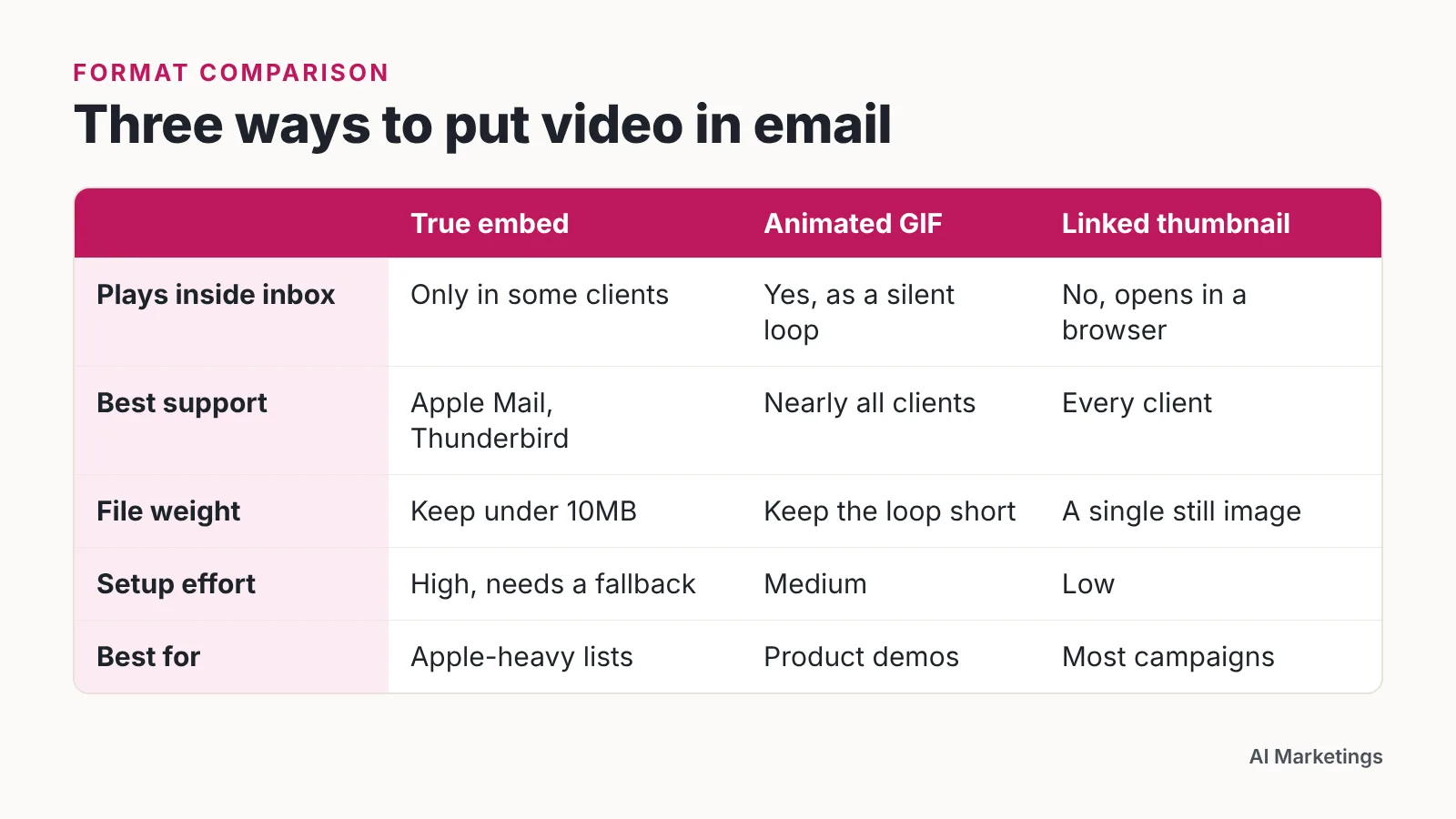
| True embed | Animated GIF | Linked thumbnail | |
|---|---|---|---|
| Plays inside the inbox | Only in some clients | Loops silently in most clients; Windows Outlook shows frame one only | No, opens in a browser |
| Best support | Apple Mail, Thunderbird | Broad, with the Windows Outlook first-frame caveat | Every client |
| File weight | Keep under 10MB | Keep the loop to a few frames | A single still image |
| Setup effort | High — needs a fallback | Medium | Low |
| Best for | Apple-heavy lists | Product demos, before-and-after | Most campaigns |
If you go the GIF route, put the key message in the first frame. Windows Outlook renders that frame and nothing after it, so any payoff buried at the end of the loop never reaches those subscribers.
Decision rule, and an editorial one rather than a sourced benchmark: if Apple Mail is under a third of your opens, skip the embed. A GIF earns its place when the motion itself sells the point — a dashboard filling in, a product unfolding, a stitch pulling tight. For everything else, the linked thumbnail wins on reliability and on tracking, because the click lands on a page you control.
Step 2 — Produce and host a short, lightweight video built for small screens
Time: 1–3 hours for a first clip. You need: a script, a phone or webcam, a lavalier mic, and a YouTube, Vimeo or video-platform account.
Litmus recommends keeping natively embedded email video files under 10MB because larger files slow load times for subscribers. That figure covers natively embedded video; applying the same ceiling to GIFs is our own rule of thumb for anything shipped inside the message.
Write the script before you touch a camera. As an editorial rule of thumb, aim for under 150 words, open with the specific problem rather than a greeting, and name the one action you want. Burn captions into the frame — many people open email in a quiet office or a loud train, and sound-off viewing is the default.
Shoot 16:9 or square, not vertical. We treat the email body as roughly 600 pixels wide — a working convention, not a measured standard — and a tall video turns into a letterbox strip on desktop.
If you need the same message in several languages or several speaker versions, an avatar tool can cover the volume. AI Studios is DeepBrain AI’s cloud platform for AI avatar videos, text-to-video and video translation, with text-to-speech voiceovers in 150+ languages and accents on paid plans and 30+ languages on the Free plan. Be honest about the limits: its "unlimited AI video generation" means no cap on the number of videos, while video length, dubbing minutes and generative credits stay capped by plan. For a founder’s one-to-one reply to a stalled deal, a phone-recorded clip with your actual face beats any avatar. Teams weighing both routes should price an agency, a freelancer and an AI tool against the same brief before committing.
Step 3 — Add the video to your campaign inside your ESP (Mailchimp walkthrough)
Time: 20–30 minutes. You need: the hosted video URL and a campaign draft.
Mailchimp’s official help documentation states that most email clients strip embedded video code, and directs users to its Video content block, video merge tags, link tool, or Auto-convert feature instead. The order matters: Mailchimp’s documented procedure is to host the video on YouTube or Vimeo first, then insert a Video content block that pulls a thumbnail linking to the video URL.
In practice:
- Upload and publish the video on YouTube or Vimeo, and copy the public URL.
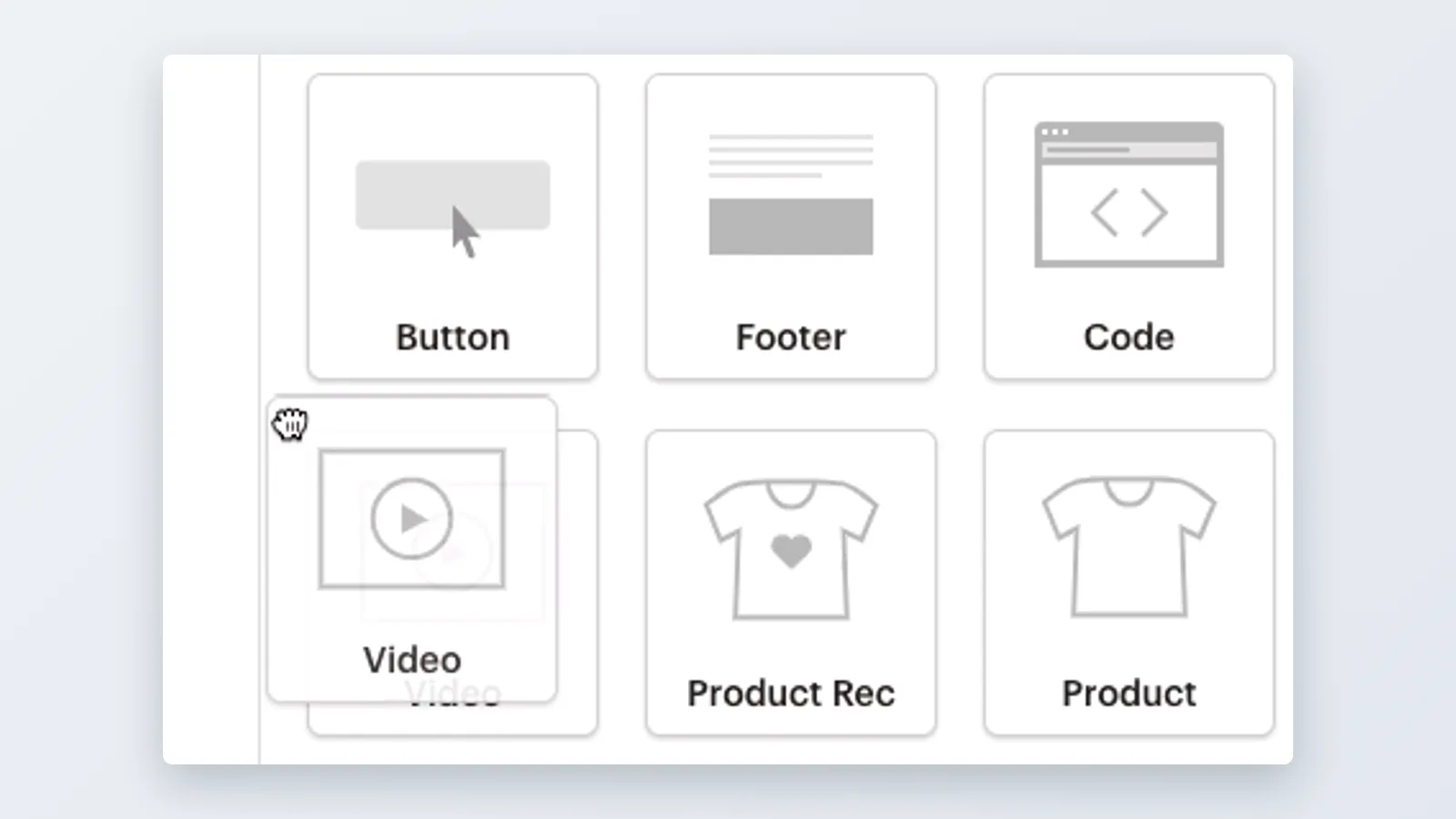
- Open your campaign and drag a Video content block into the layout.
- Paste the URL so the block pulls a thumbnail that links to the hosted page.
- Replace the auto-pulled still if it catches you mid-blink — a clear face or a readable product beats a random frame.
- Add a text link directly under the image for subscribers who block images.
The same pattern transfers to other platforms. Klaviyo, Brevo and HubSpot all expose a video block or a URL paste that generates a thumbnail; the hosting-first order is identical everywhere.
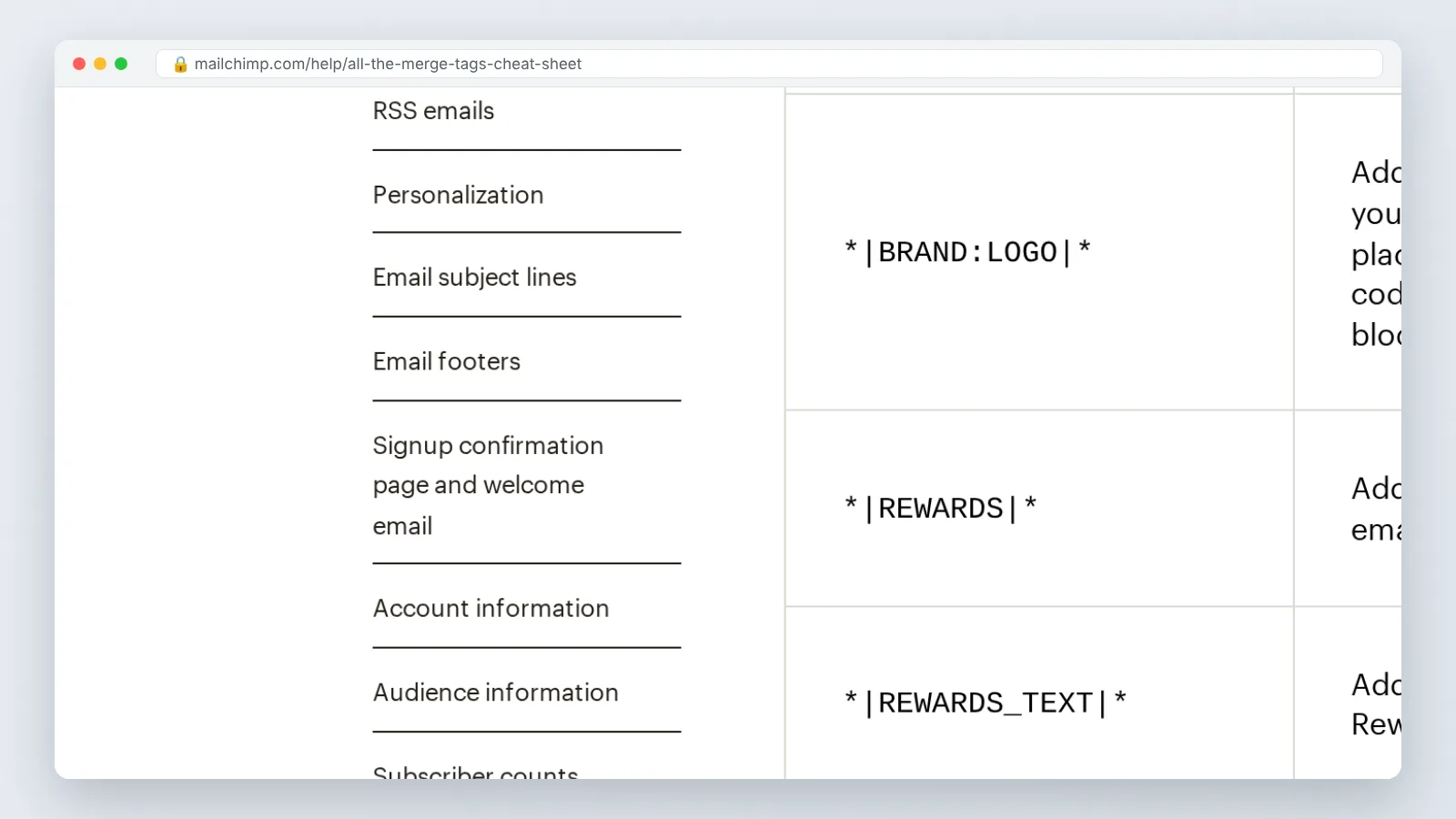
Step 4 — Personalize video at scale with merge tags, dynamic thumbnails, and segments
Time: 30–60 minutes per campaign once templates exist. You need: clean list fields and at least two segments.
In a documented Vidyard case study, Superside’s ABM team recorded an 8x click-through rate improvement and a 4x reply rate improvement after adding personalized video to outreach emails. That is one team’s result on account-based outreach, not a promise for a 50,000-person newsletter — the mechanics still transfer.
Personalize in three layers, cheapest first:
- Text layer. Merge tags in the subject line, the headline above the thumbnail, and the button copy. Zero extra production.
- Image layer. A dynamic thumbnail that renders the recipient’s company name or first name onto the still frame, so the preview looks made for them.
- Video layer. Segment-specific versions of the same script, where only the opening 10 seconds change.
The video layer is where teams overspend. Script one core body and record three or four openers, then stitch each opener to the shared body — four assets instead of four hundred. Match each variant to a segment you already use: trial users who never activated, customers past renewal, leads from one industry.
Keep the data clean. A merge tag that resolves to "Hi ," undoes every point the video was going to make, so set default values for every field.
Step 5 — Test across clients, then measure plays, clicks, and conversions
Time: 30 minutes. You need: a seed list and a preview tool.
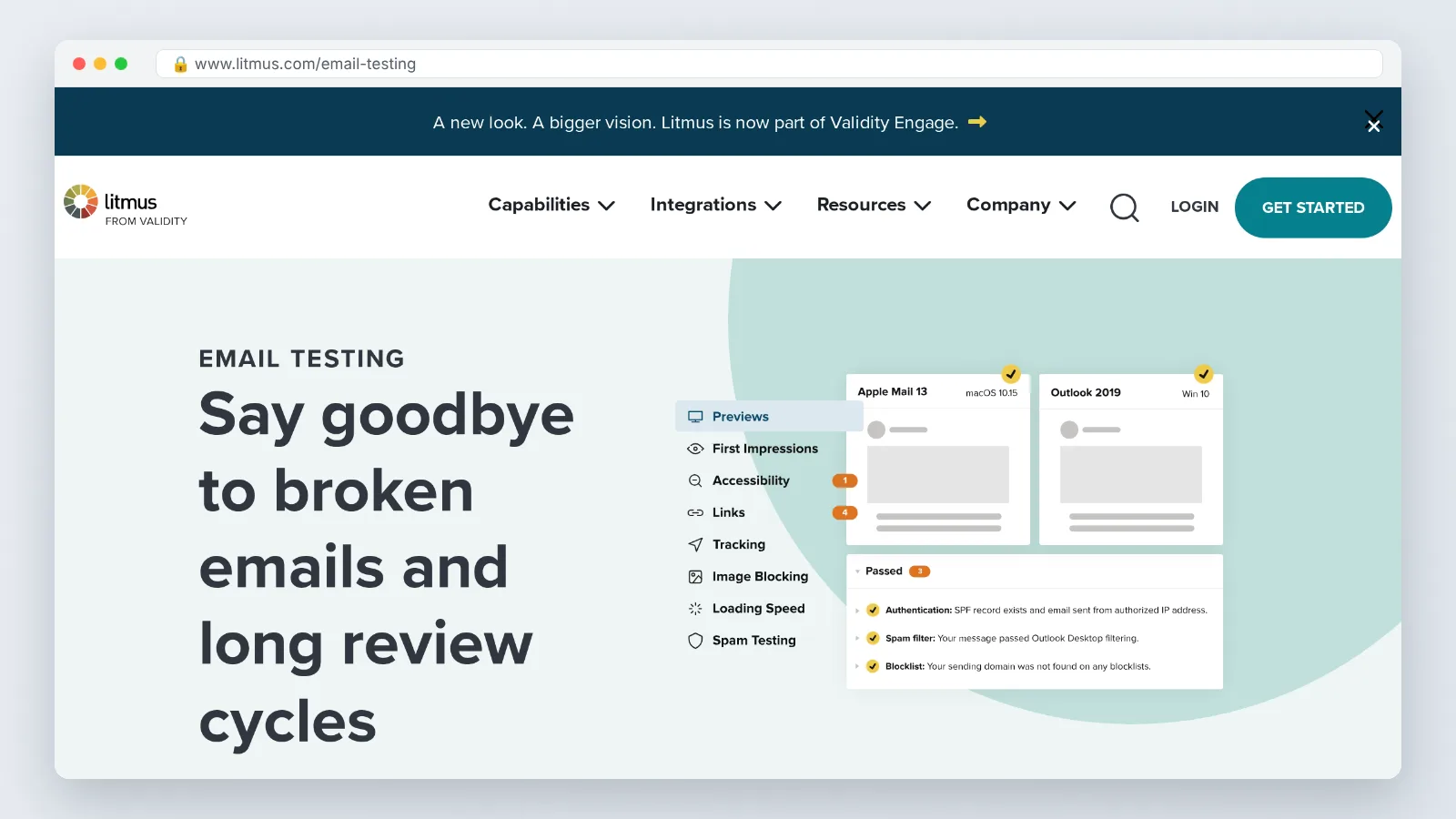
Send to your own seed addresses covering Apple Mail, Gmail web, Gmail app, Outlook desktop and Outlook web. Check four states: images on, images off, light mode, dark mode. A white play button on a white frame disappears in dark mode, and you will only see that in a real client.
Campaign Monitor data cited in Levitate Media’s 2026 video conversion statistics roundup credits the word "video" in a subject line with a 65% lift in click-through rates and a 26% drop in unsubscribes. Worth A/B testing on your own list before you adopt it as a rule.
Measure in this order, because each number explains the next:
| Metric | Where it lives | What it tells you |
|---|---|---|
| Unique click on the thumbnail | ESP report | Did the still frame and subject line earn curiosity |
| Play rate on the landing page | Video host analytics | Did the page deliver what the email promised |
| Average watch percentage | Video host analytics | Where the script loses people |
| Conversion after the play | GA4 or CRM | Whether the video moved revenue, not just attention |
Tag every thumbnail link with UTM parameters so the play and the conversion stitch back to the campaign.
Your pre-send video email checklist
Run this list before you hit schedule. It takes about ten minutes and catches the errors that are expensive after send.
- The video is published and public on its host, and the link opens in an incognito window.
- The thumbnail shows a play button, and the frame is readable at the 600-pixel body width we use as a rule of thumb.
- A text link sits directly under the image for image-blocking clients.
- Alt text on the thumbnail describes the video, not "image1.jpg".
- Anything shipped inside the email body stays under 10MB — Litmus’s ceiling for natively embedded video; we apply the same limit to GIFs as a rule of thumb.
- Any GIF carries its key message in the first frame, since Windows Outlook renders that frame only.
- Every merge tag has a default value, and you have previewed at least one record with missing data.
- Dark mode preview shows the play button and the caption text clearly.
- UTM parameters are attached and the landing page loads quickly on mobile data — under three seconds is our editorial rule of thumb.
- The subject line has been through an A/B split if you are testing the word "video".
- Someone other than the author has watched the clip end to end with sound off.
Common mistakes that kill video email campaigns
The failure that wastes the most money is the four-minute hero video dropped into a newsletter with a generic "Check out our latest video" line. Production took two weeks, the thumbnail shows a conference stage from twelve feet away, and the click-through sits flat. Avoid it by cutting a 45-second version for the email and keeping the long edit on the landing page, where people who already clicked can choose to stay.
Four more to watch:
- Faking the player. A screenshot of a YouTube interface pasted into an email looks like a broken embed. Use a real still with a clean play icon.
- No images-off plan. Outlook and many corporate clients block images by default, leaving a blank rectangle and no reason to click.
- Autoplaying sound. Where a true embed does play, muted-by-default is the only acceptable setting.
- Weak first three seconds. The opening frames decide everything, and the same hook discipline you would apply to social video applies inside the inbox.
Fix the thumbnail and the first ten seconds before you touch anything else. Those two elements carry most of the result.
Frequently asked questions
Can you really embed a playable video inside an email?
Sometimes, and only in a minority of clients. Litmus says native video in email has its best support in Apple Mail and Thunderbird, which is why it advises using animated GIFs instead, and Litmus also reports that Apple removed HTML5 video support from its email clients. Always build a poster-image fallback.
Does putting the word "video" in the subject line actually help?
Campaign Monitor data cited in Levitate Media’s 2026 video conversion statistics roundup credits the word "video" in a subject line with a 65% lift in click-through rates and a 26% drop in unsubscribes. Test it as a split on your own list before you make it a standing rule for every send.
How large should the video file and thumbnail be?
Litmus recommends keeping natively embedded email video files under 10MB because larger files slow load times for subscribers. Applying the same ceiling to animated GIFs is our own rule of thumb, as is sizing the still frame for a 600-pixel-wide email body so it stays sharp on phone screens without ballooning load time.
What is the exact Mailchimp procedure for adding a video?
Mailchimp’s documented procedure is to host the video on YouTube or Vimeo first, then insert a Video content block that pulls a thumbnail linking to the video URL. Mailchimp’s help documentation also notes that most email clients strip embedded video code and points to video merge tags, the link tool, or Auto-convert as alternatives.
How do you personalize video at scale without filming hundreds of clips?
Layer it. Merge tags handle the subject line and frame copy at no production cost, dynamic thumbnails render a name or company onto the still, and segment-specific openers attach to one shared script body. In a documented Vidyard case study, Superside’s ABM team recorded an 8x click-through rate improvement and a 4x reply rate improvement after adding personalized video to outreach emails.
Sources
- How to Embed Video in Your Email Marketing Campaigns — Litmus
- The Pros and Cons of Video in Email [Video] — Litmus
- A Bulletproof Guide to Using HTML5 and CSS3 in Email — Litmus
- Add Video to an Email — Mailchimp Help
- When & How to Use Video in Email Marketing — Mailchimp Resources
- Video Conversion Statistics 2026 — Levitate Media
Written with AI assistance and fact-checked against the sources cited above before the AI Marketings Editorial Team published it.