In seo video marketing, video rarely lifts a page’s ranking on its own — it earns video thumbnails, Videos-tab placement and key moments. To rank, put the video on an indexable watch page, mark it up, and submit a video sitemap.

Quick steps
Treat the page and the video as one unit. Google indexes the watch page first and the video second, so the page has to earn its own place in Search before the video gets a thumbnail next to your result.
- Pick one query that already returns video results, and assign it a single page.
- Embed the video so it plays on that page, high on the screen, with unique supporting copy around it.
- Publish a transcript, upload a caption file, and design a custom thumbnail that reads at small sizes.
- Add VideoObject markup, plus Clip or SeekToAction key moments when the runtime qualifies.
- Submit a video sitemap, link the page from related posts, then check the video indexing report.
The sections below give the specs behind each line, the hosting decision that changes all of them, and the three checks that tell you whether Google actually saw your video.
How video actually helps SEO — and the four things Google needs first
Video is not a ranking ingredient the way internal links or content depth are. What a video wins you is real estate: a thumbnail beside your blue link, placement in the Videos tab, and key moments that expand into jump links under the result.
Four conditions have to hold before any of that can happen.
- The video plays on the page you want to rank. Google requires VideoObject structured data to sit on a page where the user can actually watch the video, not on a page that merely links to it, according to Google Search Central.
- The watch page already performs. Google states that a video’s watch page must already be indexed and performing well in Search before the video itself can be considered for indexing.
- Google can fetch the assets. A thumbnail behind a login wall, a media directory blocked in robots.txt, or a player that never renders will quietly remove eligibility.
- Google can find the video. That means a crawlable content or embed URL, internal links pointing at the page, and an entry in a sitemap.
The practical reading of those four points: a video bolted onto a thin page does nothing. Spend the first hour on the page — the query, the headline, the on-page answer — and the second hour on the footage.
What to decide first — YouTube, a self-hosted watch page, or both
Decide where the ranking page lives before you shoot anything, because that choice changes your markup, your thumbnail workflow and the analytics you get back.
| Decision | YouTube only | Self-hosted watch page | Both |
|---|---|---|---|
| Page that can rank | YouTube’s watch page | Your URL | Your URL, plus YouTube’s |
| Traffic destination | YouTube | Your site | Split |
| Structured data | Handled by YouTube | You write VideoObject | You write it on your page |
| Thumbnail control | Your uploaded file | Your uploaded file | Both |
| Dev effort | Lowest | Highest | Highest |
| Best fit | Reach and subscribers | Product, pricing, support pages | Cornerstone how-tos |
| Requirement | Value | Source |
|---|---|---|
| Minimum runtime for key moments | 30 seconds | Google video structured data docs |
| Key moments markup types | Clip or SeekToAction | Google video structured data docs |
| Minimum thumbnail size | 60×30 pixels, larger preferred | Google video SEO best practices |
| Thumbnail transparency | At least 80% of pixels with alpha above 250 | Google video SEO best practices |
| Single sitemap file limit | 50MB uncompressed or 50,000 URLs | Google sitemap docs |
Most small teams land on "both": host the canonical watch page on your own site for commercial queries, and publish a cut on YouTube for reach. If neither the budget nor the crew exists yet, the trade-offs in this comparison of agencies, freelancers and AI for video production will narrow it down faster than another round of quotes.
Step 1 — Pick the query and build one watch page around one video
What you need: your keyword list, a manual SERP check for each candidate, and a page template that puts the player near the top.
Search each candidate query and look at what Google returns. Video thumbnails, a Videos carousel or a Videos tab full of results tell you the intent is demonstrable — "how to", "setup", "vs", "unboxing", "error code". Queries that return only definitions and comparison tables rarely reward a video page.
Keep one primary video per URL. Google requires VideoObject markup to live on the page where the visitor can actually watch the video, so a roundup page linking out to ten videos gives you nothing to mark up and no clear subject.
Write the page so it would rank without the video. A specific title tag, one H1 matching the query, a short written answer in the first screen, then the player, then the transcript and the detail. Example: a plumbing supplier targeting "how to replace a shower cartridge" publishes one page with a three-minute demo, a parts list, and the written sequence underneath.
Step 2 — Produce the video: length, script, transcript, captions and thumbnail
What you need: a scripted outline, a clip-on microphone, a transcription tool, and a thumbnail file exported at a generous size.
Length follows intent, not fashion. Wistia’s 2026 State of Video Report is based on an analysis of more than 13 million videos uploaded to the platform, which makes its length benchmarks a reasonable starting point. Videos under one minute average a 52% engagement rate in Wistia’s 2026 data, meaning viewers typically watch about half the runtime.
Instructional content behaves differently. Wistia’s 2024 State of Video Report found that 3-5 minute videos average a 43% engagement rate overall, but 74% for instructional content — a strong argument for letting a genuine how-to run its natural length.
Script the first ten seconds to answer the query out loud, then show the thing. No logo sting, no "hey guys". Publish the full transcript as text on the page, upload a caption file to the player, and give every chapter a plain-language label.
Thumbnails have hard requirements: Google’s video SEO best practices set a minimum thumbnail size of 60×30 pixels, with larger thumbnails preferred. Export far above that floor, keep the subject centred, and avoid tiny type that disappears at result size.
(Optional) If filming is the bottleneck: AI Studios, DeepBrain AI’s cloud platform for AI avatar videos, text-to-video and video translation, can build a first draft from a script, a topic prompt, a web URL, an uploaded document or a product page. Disclose synthetic presenters, and never present an AI voice or avatar as a named employee. For picking the rest of the stack, this rundown of video marketing tools for small teams covers hosting, editing and captions.
Step 3 — Add VideoObject structured data and key moments markup
What you need: access to your page template or tag manager, the video’s duration, and the Rich Results Test open in a second tab.
Start with the required VideoObject properties: name, description, thumbnailUrl and uploadDate. Add duration in ISO 8601 format, contentUrl and embedUrl — those recommended fields are what let Google fetch and preview the file rather than guess at it.
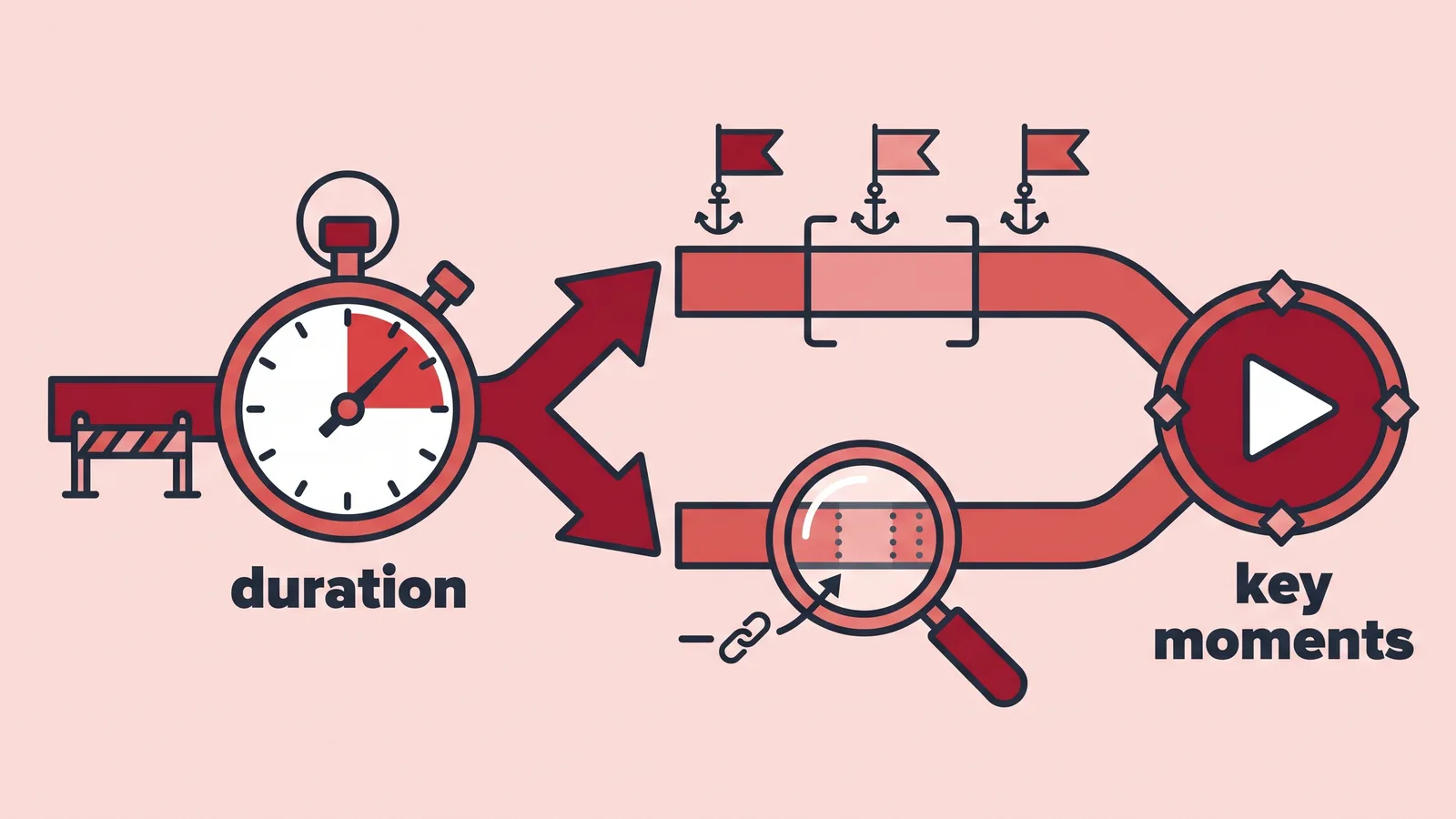
Key moments have an entry requirement. Google’s video structured data guidelines require a video to run at least 30 seconds before it is eligible for key moments markup, whether you use Clip or SeekToAction.
The two options differ in who does the work. Clip means you declare each segment yourself: a label, a start time, an end time and a URL that deep-links to that timestamp. SeekToAction tells Google how your player’s timestamp URLs are structured so it can identify moments automatically from the content.
One rule saves most debugging sessions: the markup must describe the video a visitor can see on that exact URL. Copy-pasting the same VideoObject block across a template, or describing a video that only exists on YouTube, produces warnings and no rich result.
Step 4 — Get it discovered: video sitemap, internal links and distribution
What you need: write access to your sitemap, a shortlist of related posts, and your social calendar.
A video sitemap entry carries the page URL plus video:title, video:description, video:thumbnail_loc, and either video:content_loc or video:player_loc. Keep the file size in mind: a single sitemap file — including a video sitemap — is limited to 50MB uncompressed or 50,000 URLs, after which it must be split into multiple sitemaps, per Google’s sitemap documentation.
Link to the new watch page from three to five existing posts that cover the same topic, using anchor text that describes what the viewer will see rather than the bare keyword. Those links are also how the page builds the Search performance it needs before the video itself gets considered.
Distribution is separate from indexing but feeds it. Cut vertical excerpts for feeds, push the full version to YouTube if that fits your hosting decision, and keep one canonical watch page as the link destination in every caption — the approach mapped out in this plan for running one video across five social feeds.
Check your work — Rich Results Test, the video indexing report, and the metrics that prove it ranked
Run three checks in order. First, paste the live URL into Google’s Rich Results Test and confirm VideoObject is detected with no errors and no missing recommended fields. Second, run URL Inspection in Search Console and view the rendered HTML to confirm the player exists in the rendered page, not only after a click.
Third, open the video indexing report in Search Console a few days after publishing. It separates pages where a video was indexed from pages where it was not, and names typical reasons — the video sitting outside the viewport, or a thumbnail Google could not fetch.
Then judge the outcome on Search data, not on views. In the Performance report, filter by the video search appearance to see impressions and clicks earned with a thumbnail, and compare the watch page’s total clicks before and after launch.
Google states that a video’s watch page must already be indexed and performing well in Search before the video itself can be considered for indexing. If that page shows close to zero impressions, the fix is the page — its query match, title and internal links — not another round of markup edits.
The pre-publish checklist and the mistake that sinks most video pages
- One primary video per URL, with the player visible without a click.
- Unique title, H1 and written answer that would rank on their own.
- Transcript on the page, caption file on the player.
- Custom thumbnail exported well above Google’s minimum size.
- VideoObject with name, description, thumbnailUrl and uploadDate present.
- Clip or SeekToAction added only when the runtime qualifies.
- Video sitemap entry submitted, media directory not blocked in robots.txt.
- Internal links from related posts pointing at the watch page.
The failure that shows up most often is a player that never renders for a crawler. Lazy-loaded embeds that only initialise on scroll, videos hidden inside a closed accordion or a secondary tab, and modal players triggered by a button all look fine to a visitor and empty to Googlebot.
Fix it by placing a standard iframe or <video> element in the initial HTML, keeping it inside the first screen, and pointing thumbnailUrl at a file served from a crawlable path. Re-run URL Inspection afterwards and read the rendered HTML, not the source — that is where the difference shows.
Frequently asked questions
Does adding a video to a page improve its rankings?
Not directly. A video earns extra Search surfaces — a thumbnail beside your result, Videos-tab placement, key moments — rather than a ranking lift, and the page still has to win its query on its own content, titles and links.
How long should an SEO video be?
Match the query. Wistia’s 2024 State of Video Report found 3-5 minute videos average a 43% engagement rate overall but 74% for instructional content, so a genuine how-to can run several minutes without losing viewers.
Is YouTube enough, or do I need a self-hosted watch page?
YouTube ranks its own watch page and sends traffic to YouTube; a self-hosted page ranks your URL and gives you full control of the VideoObject markup and thumbnail. The comparison table in the hosting section lays out both, plus the "both" option.
What are Google’s thumbnail requirements for video results?
Google’s video SEO best practices set a transparency rule: at least 80% of the thumbnail’s pixels must have an alpha value greater than 250. There is also a minimum pixel size, covered in the requirements table, and larger files are preferred.
Why does Search Console say my video is not indexed?
The video indexing report names the reason, and the usual culprits are a player that renders only after user interaction, a video sitting outside the viewport, or a thumbnail Google cannot fetch. Confirm the rendered HTML with URL Inspection before editing markup again.
Sources
- Video (VideoObject, Clip, BroadcastEvent) structured data | Google Search Central
- Video SEO best practices | Google Search Central
- Build and submit a sitemap | Google Search Central
- How to Choose the Right Marketing Video Length for Any Goal — Wistia
- Top 5 Insights from Wistia’s 2024 State of Video Report
Written with AI assistance and fact-checked against the sources cited above before the AI Marketings Editorial Team published it.